Overview
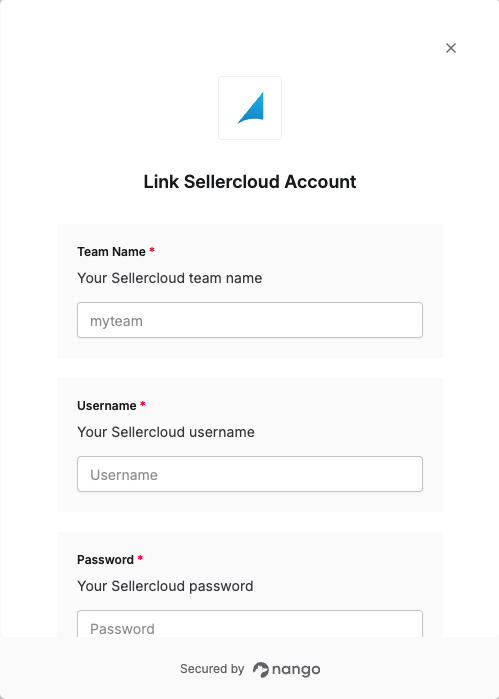
To authenticate with Sellercloud, you need:- Team Name - Your Sellercloud team name.
- Username - Your Sellercloud username.
- Password - Your Sellercloud password.
Prerequisites:
- You must have a Sellercloud account.
Instructions:
Step 1: Finding your Team Name
- Log in to your Sellercloud account.
- Your Team Name can be found under your username in the top right corner.
Step 2: Identifying your credentials
- The Username and Password are the same credentials you use to log in to Sellercloud.
Sellercloud recommends creating a separate user (employee) account for integration purposes. Use different user accounts for different integrations to improve security and manage API access more granularly.
Step 3: Enter credentials in the Connect UI
Once you have your Team Name, Username, and Password:- Open the form where you need to authenticate with Sellercloud.
- Enter your Team Name, Username, and Password in their respective fields.
- Submit the form, and you should be successfully authenticated.