Overview
To authenticate with PracticeFusion, you will need:- Base URL - The PracticeFusion authorization server base URL for your practice.
Prerequisites:
- You must have a registered PracticeFusion practice.
Instructions:
Step 1: Find your Base URL
- Download the ServiceBaseURLs.json file which contains all available PracticeFusion practice endpoints.
- Open the downloaded JSON file and search for your practice by name or organization identifier. The file contains a FHIR Bundle with organization entries and their associated endpoints.
- For each practice, you’ll find endpoint entries with
fullUrlvalues. Look for the endpoint with thename“Patient Access” to access patient records or “Provider / System Access” for system access records and copy itsfullUrlvalue. - Omit the
https://prefix from the URL - this is your Base URL.
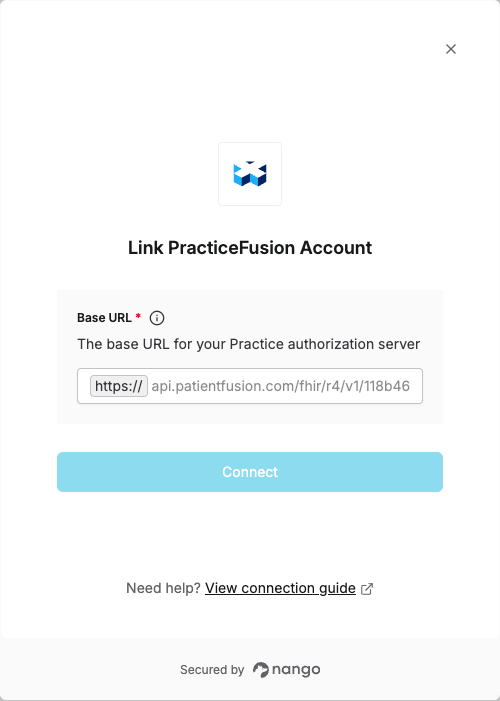
Step 2: Enter Base URL in the Connect UI
Once you have your Base URL:- Open the form where you need to authenticate with PracticeFusion.
- Enter the Base URL (without the
https://prefix) in the respective field. - Submit the form, and you should be successfully authenticated.