Overview
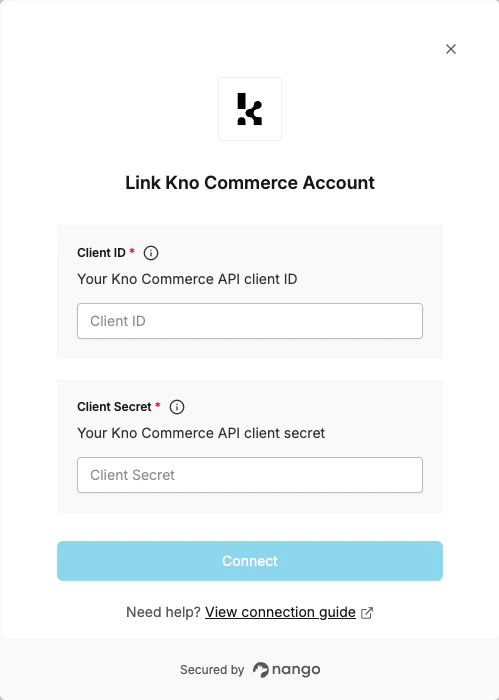
To authenticate with Kno Commerce, you need:- Client ID - The client ID from your Kno Commerce API Access settings.
- Client Secret - The client secret from your Kno Commerce API Access settings.
Prerequisites
- You must have a Kno Commerce account with admin access.
- You need access to the Kno Commerce dashboard.
Step 1: Creating an API Client
- Log in to your Kno Commerce dashboard.
- Navigate to Settings > API Access.
- Click the + button to register a new API client.
- Enter a name and select permissions. For the URL, use
https://app-api.knocommerce.com— it is not required but must be a valid value. - Click Save to create the client.
- After the client is created, you will be provided with:
- Client ID — Your API client identifier
- Client Secret — Your API client secret (shown only once, so save it securely)
The Client Secret is only displayed once when you create the client. Make sure to copy and store it securely. If you lose it, you’ll need to generate a new client.
Step 2: Enter credentials in the Connect UI
Once you have your credentials:- Open the form where you need to authenticate with Kno Commerce.
- Enter the Client ID and Client Secret in their designated fields.
- Submit the form, and you should be successfully authenticated.