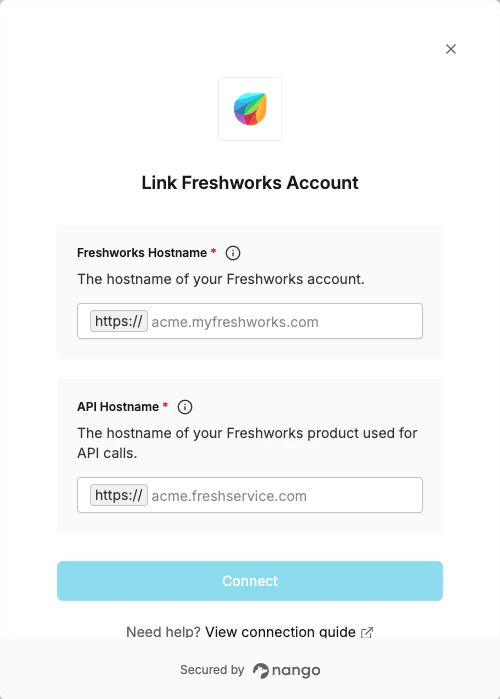
Overview
To authenticate with Freshworks, you will need:- Hostname - The hostname of your Freshworks account used for OAuth (e.g.,
acme.myfreshworks.com) - API Hostname - The hostname of your Freshworks product used for API calls (e.g.,
acme.freshservice.com)
Prerequisites:
- You must have a Freshworks account
Instructions:
Step 1: Finding your Freshworks hostname
- Sign in to your Freshworks account at myfreshworks.com.
- Look at the URL in your browser’s address bar. Your hostname is the full domain before the first
/— it will follow the patternacme.myfreshworks.com.
Step 2: Finding your API hostname
The API hostname depends on which Freshworks product you are making API calls to:
Sign in to your Freshworks product and look at the URL to get the full domain (e.g.
acme.freshservice.com).
Step 3: Enter your details in the Connect UI
- Open the form where you need to authenticate with Freshworks.
- Enter your Hostname (e.g.
acme.myfreshworks.com) in the first field. - Enter your API Hostname (e.g.
acme.freshservice.com) in the second field. - Click Connect and log in to your Freshworks account when prompted.