> ## Documentation Index
> Fetch the complete documentation index at: https://nango.dev/docs/llms.txt
> Use this file to discover all available pages before exploring further.
# Huntress - How do I link my account?
# Overview
To authenticate with Huntress, you will need:
1. **API Key** - A Huntress API key that starts with `hk_`.
2. **API Secret** - A Huntress API secret that starts with `hs_`.
Huntress recommends user API keys. User API keys mirror the permissions of the user who generates them, while the older account API key is deprecated and read-only.
Huntress also publishes a [screenshot walkthrough for generating API keys](https://support.huntress.io/hc/en-us/articles/4416826761235-Generating-API-Keys).
### Prerequisites
* You must have access to the Huntress console.
* Your Huntress user must have the permissions required for the API resources you want to access.
### Instructions
#### Step 1: Generate user API credentials
1. Log in to the [Huntress Platform](https://huntress.io) as a user with Admin privileges.
2. Open the hamburger menu in the upper-right corner and select **API Credentials**.
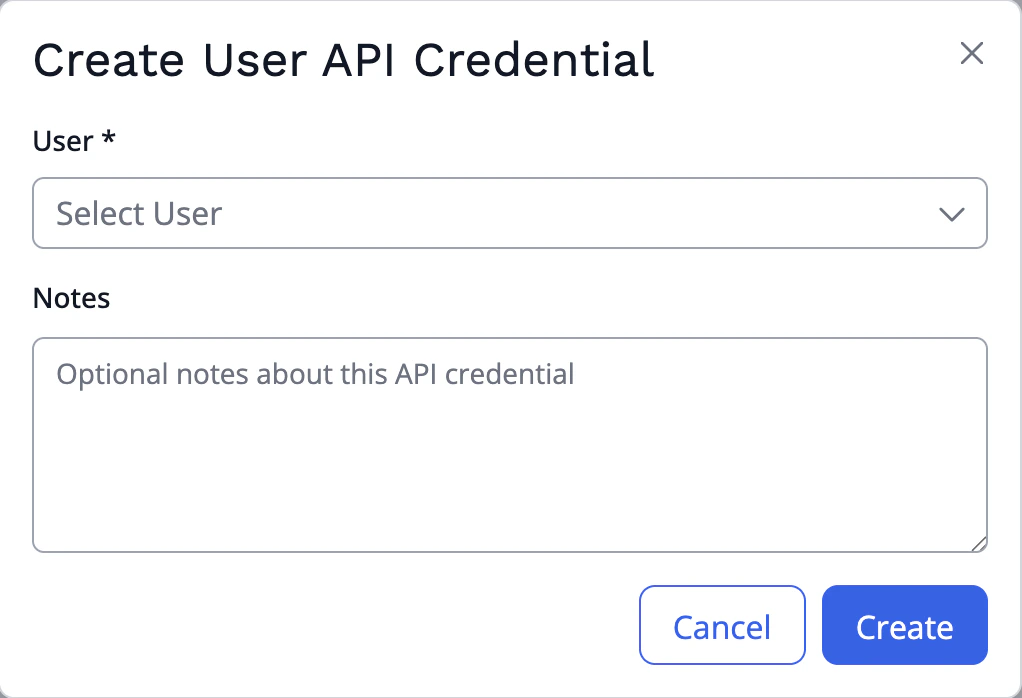
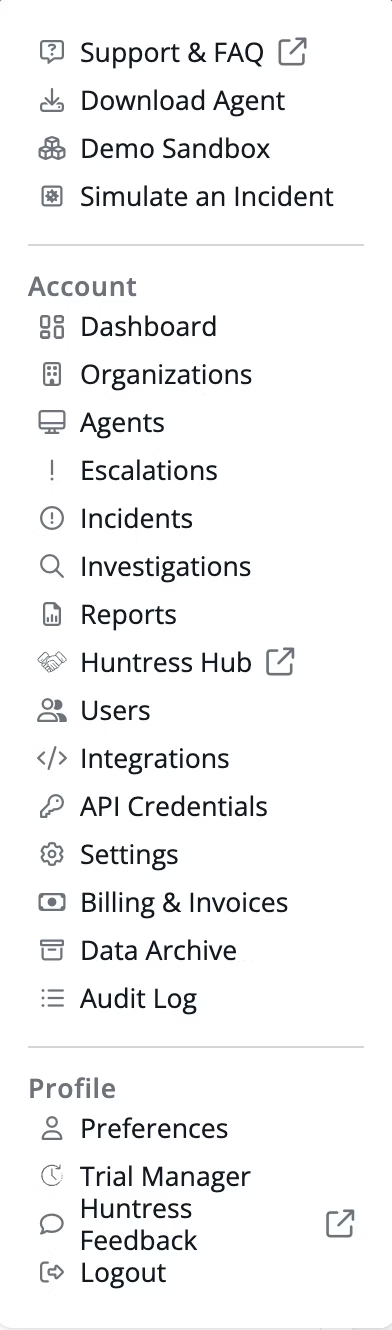 3. In the **User API Credentials** section, click **Add**.
 4. Select the user that should own the credential, add any notes, and click **Create**.
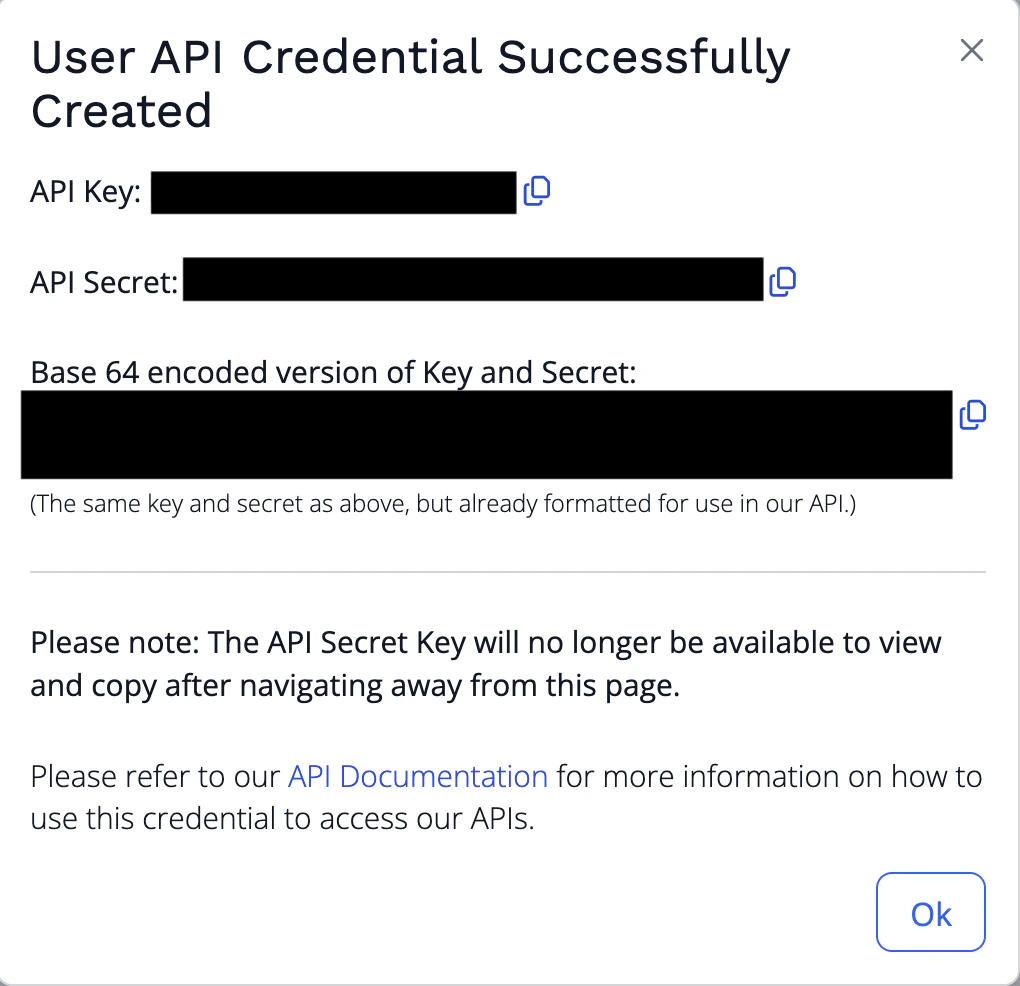
 5. Copy the generated **API Key** and **API Secret** and store them securely. The API secret key is no longer available after you navigate away from this page.
 #### Step 2: Enter credentials in the Connect UI
Once you have your **API Key** and **API Secret**:
1. Open the form where you need to authenticate with Huntress.
#### Step 2: Enter credentials in the Connect UI
Once you have your **API Key** and **API Secret**:
1. Open the form where you need to authenticate with Huntress.
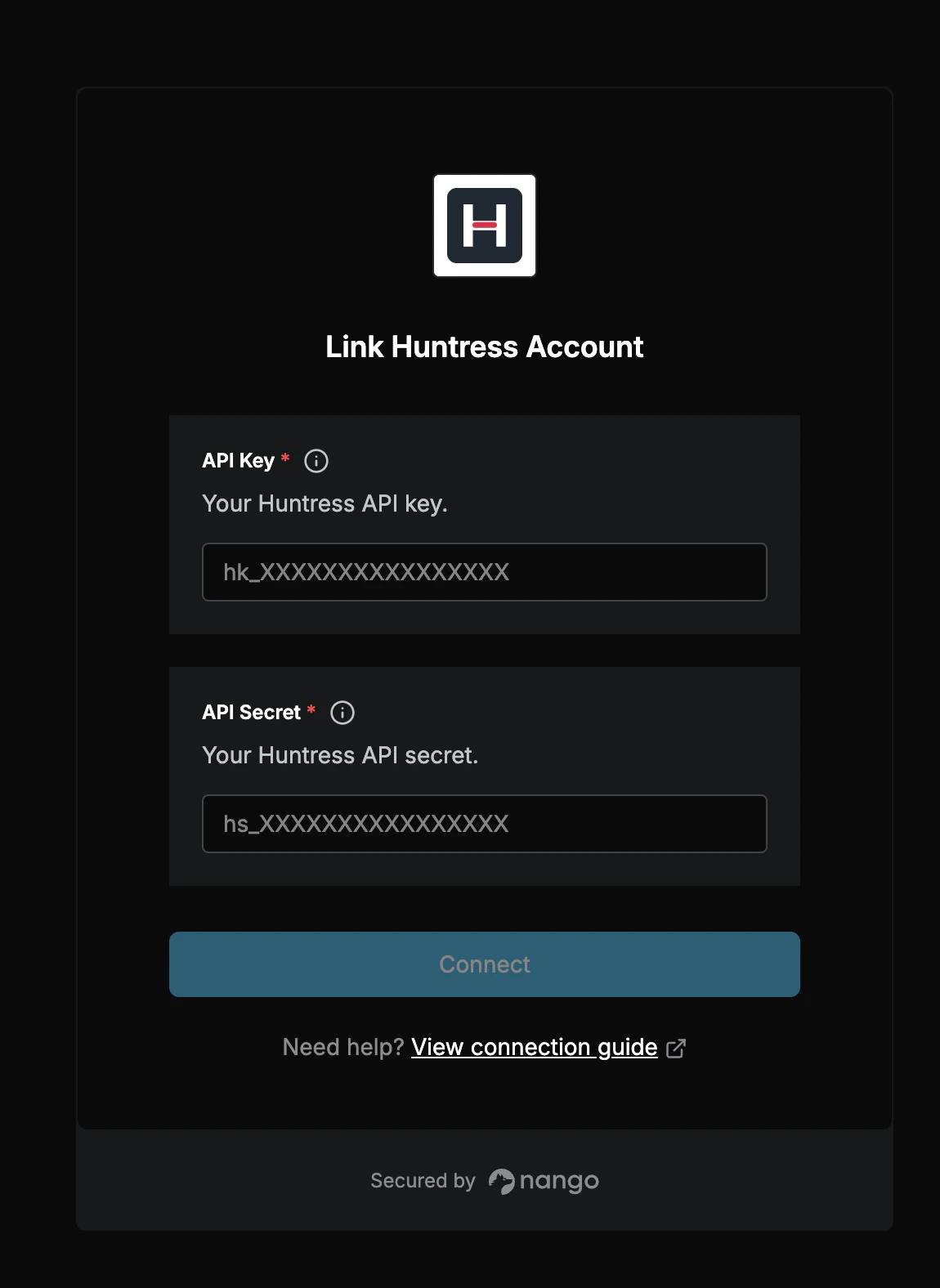 2. Enter your **API Key** in the **API Key** field.
3. Enter your **API Secret** in the **API Secret** field.
4. Submit the form, and you should be successfully authenticated.
You are now connected to Huntress.
2. Enter your **API Key** in the **API Key** field.
3. Enter your **API Secret** in the **API Secret** field.
4. Submit the form, and you should be successfully authenticated.
You are now connected to Huntress.